Infill is the internal structure that gives a 3D printed part its volume, strength, and rigidity. But most users leave it on the default — usually Grid at 15% — and never look back. While fine for visual models, choosing the right pattern for mechanical parts, enclosures, and flexible components is a game-changer.
This guide covers every major infill pattern, what it's actually good for, and when to reach for each.
Quick Comparison
Here's the overview: Lines/Rectilinear — Medium strength, fast, low material, best for general use and prototypes. Grid — Medium strength, moderate speed, default for everyday parts. Honeycomb — High strength, moderate speed, best for isotropic strength and enclosures. Gyroid — High strength, moderate speed, best for isotropic flexible parts. Cubic — High strength, slow, high material, best for multi-axis load bearing. Lightning — Low strength, very fast, visual models only. Concentric — Flexible, moderate speed, ideal for TPU/flexible filaments. Triangles — High strength, moderate speed, best for shear resistance.
Pattern Deep Dives
Lines / Rectilinear: Prints straight parallel lines across each layer, alternating direction by 90° on each subsequent layer. Minimizes head travel and material use. Fine for display models and non-structural prototypes. Best for rapid prototypes, visual models, and low-stress enclosures.
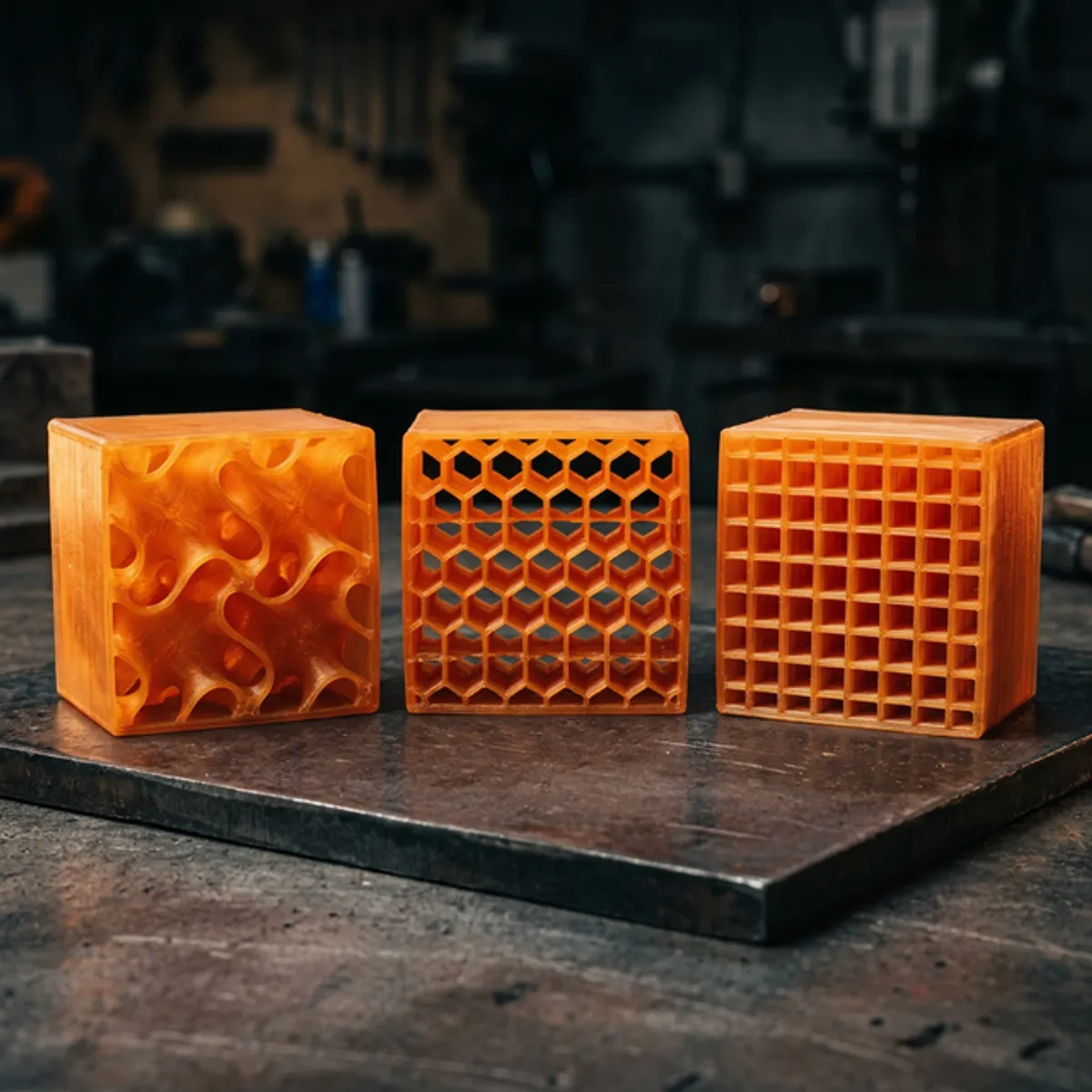
Grid: Prints perpendicular lines on the same layer. Consistent XY-plane strength. Ideal for everyday functional parts with no dominant load direction. The reliable default — balanced and predictable.
Honeycomb / Hexagonal: Distributes stress evenly in all XY directions. Used in aerospace for its extreme efficiency. Delivers more usable strength than grid at equivalent density. Best for structural enclosures, brackets, mounts, and weight-critical applications.
Gyroid: A continuous wavy structure that curves in all three dimensions. Genuine 3D isotropic strength — resists loads equally in X, Y, and Z. Excellent vibration damping and fluid-permeable. The best all-around structural choice.
Cubic / 3D Honeycomb: Interlocking cubes resist compression in all three axes. Transfers force along cube faces. High print time and material consumption, but unmatched for structural nodes and heavy compression parts.
Lightning: Supports only the top surface. Branching internal structure that uses almost zero material. Use ONLY for figurines and display models where internal strength is irrelevant.
Concentric: Prints rings following the part perimeter. For TPU, this allows uniform compression without 'hard spots.' The gold standard for gaskets and flexible hinges.
Triangles / Tri-Hexagon: Uses triangulated geometry — the most rigid 2D shape. Resistant to deforming forces. Excellent for wall-mounted brackets and stiff panels.
Pattern by Use Case
Mechanical Brackets & Mounts: Multi-directional loads need isotropic strength and predictable failure. → Gyroid or Honeycomb (30-50%).
Enclosures & Housings: Infill mainly supports top surfaces and prevents flex in the panel faces. → Grid or Honeycomb (15-25%).
Gears & Rotating Parts: Compression and shear on teeth. Needs dense, even internal structure. → Cubic or Gyroid (40-60%).
TPU / Flexible Parts: Requires uniform compression. Grid creates hard spots. → Concentric (40-80%).
Display Models & Props: No mechanical demands. Print speed and material savings are the priorities. → Lightning or Lines (5-15%).
Jigs & Fixtures: Repetitive clamping forces. Need stiff, non-creeping internal structure. → Triangles or Cubic (30-50%).
Frequently Asked Questions
Does infill percentage matter more than pattern?
Generally, yes. Density has a bigger impact on strength. Going from 20% to 40% Grid will be stronger than switching from Grid to Honeycomb at 20%. However, pattern choice is critical for specific properties like flexibility or fluid flow.
Is 100% infill always stronger?
Not always. Solid plastic can trap thermal stress and introduce weak points. For maximum strength, increasing perimeter count (walls) is often more effective than pushing infill to 100%.
Which pattern prints the fastest?
Lightning is the fastest by far, followed by Lines. Gyroid and Cubic are the slowest due to their complex, curved toolpaths.
Does infill pattern affect surface finish?
Yes. Infill supports the top solid layers. Patterns with even distribution like honeycomb prevent 'pillowing' or sagging on the top surface.
Can Atlas3Dprints advise on settings for my part?
Yes. Describe your load conditions when requesting a quote, and we'll recommend the optimal pattern and density for your application.
Need Help with Slicer Settings?
We'll choose the correct infill and perimeter settings for your specific application — and back it up with professional FDM printing.
Request a Free Quote